
 Fiber
Fiber Passive
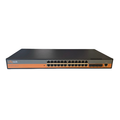 Switches
 SFP
SFP Entrance
Firmware
Keep every device up to date.
Firmware updates improve functionality and security. Our technical team shares the right file for your exact model and hardware version.
Downloads
Firmware library.
Find your model, match the hardware version shown on the device label or web interface, and download the firmware.
| Type | Model | Hardware version | Firmware version | Default login (IP, username / password) | Download |
|---|---|---|---|---|---|
| XPON ONT | SY-GPON-1110-WDONT | 1.0/3.2/3.21 | 1.0.38-250508 | 192.168.1.1admin / Syro@43210$ | Download |
| XPON ONT | SY-GPON-1110-WDONT | 3.6/3.7 | 2.0.08-250224 | 192.168.1.1admin / Syro@43210$ | Download |
| XPON ONT | SY-GPON-1110-WDONT | 3.7L/5.0 | 3.1.02-250723 | 192.168.1.1admin / Syro@43210$ | Download |
| XPON ONT | SY-GPON-2010-WADONT | 4.1/4.2/4.3C/4.2E | V2.1.08-260731 | 192.168.1.1admin / Syro@43210$ | Download |
| XPON ONT | SY-GPON-2010-WADONT | 4.3D/4.2G/4.2C | V3.2.02-260605 | 192.168.1.1admin / Syro@43210$ | Download |
| XPON ONT | SY-GPON-1110-WDAONT | 1.3 | V2.0.22-250630 | 192.168.1.1admin / Syro@43210$ | Download |
| XPON ONT | SY-GPON-1000-RDONT | 2.8S | 230614 | 192.168.1.1admin / stdONUi0i / Syro@43210$ | Download 1Download 2 |
| XPON ONT | SY-GPON-1000-2WDONT | 2.2 | V3.3.7-210918 | 192.168.1.1admin / Syro@43210$ | Download |
| XPON ONT | SY-GPON-1000-2WDONT | 2.2F | V3.4.00-250630 | 192.168.1.1admin / Syro@43210$ | Download |
| XPON ONT | SY-GPON-4000-RDONT | - | 1.0.10-210203 | 192.168.1.1admin / Syro@43210$ | Download |
| XPON ONT | SY-GPON-2000-WADONT | 4.1/4.2/4.3C/4.2E | V2.1.06-260325 | 192.168.1.1admin / Syro@43210$ | Download |
| XPON ONT | SY-GPON-2000-WADONT | 4.3D/4.2G | V3.2.00-260804 | 192.168.1.1admin / Syro@43210$ | Download |
| XPON ONT | SY-GPON-1100-WDONT | 1.5 | V1.9.1.0-230117 | 192.168.1.1admin / Syro@43210$ | Download |
| XPON ONT | SY-GPON-1101-WDONT | 1.5 | V1.9.1.1-230112 | 192.168.1.1admin / Syro@43210$ | Download |
| XPON ONT | SY-GPON-1100-WDONT | 2.4F | V3.4.00-250630 | 192.168.1.1admin / Syro@43210$ | Download |
| XPON ONT | SY-GPON-1101-WDONT | 2.4F | V3.4.00-250630 | 192.168.1.1admin / Syro@43210$ | Download |
| XPON ONT | SY-GPON-1010-DONT | 1.1/1.3 | V1.1.00-250827 | 192.168.1.1admin / Syro@43210$ | Download |
| XPON ONT | SY-GPON-1320-WDONT | 1.01 | 1.0.17-220920 | 192.168.1.1admin / Syro@43210$ | Download |
| XPON ONT | SY-GPON-4020-WDONT | 1.01 | 1.0.17-220920 | 192.168.1.1admin / Syro@43210$ | Download |
| XPON ONT | SY-GPON-4010-WADONT | 1 | V2.3.0B04_240104 | 192.168.1.1admin / Syro@43210$ | Download |
| Access Controller | Access Controller Software | - | - | 192.168.1.150admin / admin | Download |
| EPON ONT | SY-GOPON-0800-RONU-OUT | - | V1.2.8B06 | 192.168.1.1admin / admin / Syro@43210$ | Download |
| EPON ONT | SY-GOPON-0400-ONU | - | V1.0.0B02 | 192.168.1.1admin / admin | Download |
| EPON ONT | SY-GOPON-0400-RPONU | - | V1.2.6B02 | 192.168.1.1admin / admin | Download |
| XPON ONT | SY-GPON-1111-WDONT | - | 1.0.37-220315 | 192.168.1.1admin / Syro@43210$ | Download |
| EPON ONT | SY-GOPON-1000-RONU | 2.8 | V6.0.4P1T8_201010 | 192.168.1.1admin / stdONUi0i / Syro@43210$ | Download |
| EPON ONT | SY-GOPON-1000-RONU | RTK Chip | V1.1.9_250430 | 192.168.1.1admin / Syro@43210$ | Download |
| XPON ONT | SY-GPON-1000-RDONT | RTK Chip | V1.2.2_260902 | 192.168.1.1admin / Syro@43210$ | Download |
| XPON ONT | SY-GPON-2010-WADONT | 2.0 (Orange GUI) | V2.0.5-24633 | 192.168.1.1admin / Syro@43210$ | Download |
| XPON ONT | SY-GPON-2010-WADONT | 2.0 (Blue GUI) | V2.1.5-27436 | 192.168.1.1admin / Syro@43210$ | Download |
| EPON OLT | SY-GOPON-2OLT-L3 | - | V2.03.77R_250829 | 192.168.8.100admin / Syro@43210$ | Download |
| EPON OLT | SY-GOPON-4OLT-L3 | V1.1.4/V1.3.4 | V2.03.78R_260804 | 192.168.8.100admin / Syro@43210$ | Download |
| EPON OLT | SY-GOPON-8OLT-L3 | V1.1.8/V1.3.8 | V2.03.78R_260804 | 192.168.8.100admin / Syro@43210$ | Download |
| EPON OLT | SY-GOPON-16OLT-L3 | V1.1.16/V1.3.16 | V2.03.78R_260804 | 192.168.8.100admin / Syro@43210$ | Download |
| GPON OLT | SY-GPON-4OLT/8OLT | V2.1.4/V2.1.8 | V2.3.1-240125 | 192.168.8.200admin / Syro@43210$ | Download |
| GPON OLT | SY-GPON-4OLT/8OLT | V3.1.4/V3.1.8 | V1.6.1R_260920 | 192.168.8.200admin / Syro@43210$ | Download |
| GPON OLT | SY-GPON-16OLT | V2.1.16 | V1.2.7R-20240328 | 192.168.8.200admin / Syro@43210$ | Download |
| GPON OLT | SY-GPON-16OLT | V3.1.16 | V1.4.4R_20250328 | 192.168.8.200admin / Syro@43210$ | Download |
| XPON ONT | SY-GPON-4010-AX1500 | V1.0 | V1.1.00-260624 | 192.168.1.1admin / Syro@43210$ | Download |
| .Net Framework 4.5 | Prerequisites Files | .Net Framework 4.0 | - | - | Request file |
| .Net Framework 4.0 | Sql Express 2008 R2 | - | - | - | Request file |
| EPON OLT | SY-GOPON-4OLT-ECO | 32m | V3.4.1 | 192.168.100.1root / Syro@43210$ | Download |
| EPON OLT | SY-GOPON-4OLT-ECO | V1.0 | V1.6.0_240629 | 192.168.1.100admin / Syro@43210$ | Download |
| EPON OLT | SY-GOPON-8OLT-ECO | V1.0 | V1.6.0_240629 | 192.168.1.100admin / Syro@43210$ | Download |
| GPON OLT | SY-GPON-1OLT | V3.1.1 | V1.2.2_20260623 | 192.168.8.200admin / Syro@43210$ | Download |
| XPON ONT | SY-GPON-2010-WADONT | 5.2A | V2.3.00-241028 | 192.168.1.1admin / Syro@43210$ | Download |
| GPON OLT | SY-GPON-2OLT | V3.1.2 | V1.0.1R_260819 | 192.168.8.200admin / Syro@43210$ | Download |
| XPON ONT | SY-GPON-4010-AX3000 | v1.2 | V1.3.00-250723 | 192.168.1.1admin / Syro@43210$ | Download |
| XPON ONT | SY-GPON-1100-WDONT | 3.1D | V1.1.00-260921 | 192.168.1.1admin / Syro@43210$ | Download |
| XPON ONT | SY-GPON-1110-WDONT | 4.11 | V1.1.00-260811 | 192.168.1.1admin / Syro@43210$ | Download |
| XPON ONT | SY-GPON-4010-AX3000 | V1.1 | V1.4.00-260910 | 192.168.1.1admin / Syro@43210$ | Download |
No firmware matches your search. Email [email protected] and our team will send the right file.
Install only firmware that matches your exact model and hardware version. Can't find yours? Email [email protected].
How to get your firmware
- Find your model and versionsOpen the device web interface and note the model, hardware version and software version shown on the first information page.
- Send us the detailsEmail a screenshot of that information page to [email protected].
- Receive the right fileOur technical team replies with the matching firmware and upgrade steps.
Need help now?Monday to Saturday, 9:30 AM to 8 PM
Technical support 87505 55060OLT support 080 6909 2000[email protected]